如何卸载Windows10/11上的预装应用?
自然是有工具能解决的,Github 上面有一款 Win11Debloat 脚本工具,可以卸载 Windows 10/11 系统的预装应用,包括 OEM 电脑厂商的预转软件。
Win11Debloat 脚本工具
Win11Debloat is a lightweight, easy to use PowerShell script that allows you to quickly declutter and customize your Windows experience. It can remove pre-installed bloatware apps, disable telemetry, remove intrusive interface elements and much more. No need to painstakingly go through all the settings yourself or remove apps one by one. Win11Debloat makes the process quick and easy!
The script also includes many features that system administrators and power users will enjoy. Such as a powerful command-line interface, support for Windows Audit mode and the option to make changes to other Windows users. Please refer to our wiki for more details.
支持卸载应用
微软 Windows 系统自带预装应用:
- Clipchamp.Clipchamp
- Microsoft.3DBuilder
- Microsoft.549981C3F5F10 (Cortana app)
- Microsoft.BingFinance
- Microsoft.BingFoodAndDrink
- Microsoft.BingHealthAndFitness
- Microsoft.BingNews
- Microsoft.BingSports
- Microsoft.BingTranslator
- Microsoft.BingTravel
- Microsoft.BingWeather
- Microsoft.Copilot
- Microsoft.Getstarted (Cannot be uninstalled in Windows 11)
- Microsoft.Messaging
- Microsoft.Microsoft3DViewer
- Microsoft.MicrosoftJournal
- Microsoft.MicrosoftOfficeHub
- Microsoft.MicrosoftPowerBIForWindows
- Microsoft.MicrosoftSolitaireCollection
- Microsoft.MicrosoftStickyNotes
- Microsoft.MixedReality.Portal
- Microsoft.NetworkSpeedTest
- Microsoft.News
- Microsoft.Office.OneNote (Discontinued UWP version only, does not remove new MS365 versions)
- Microsoft.Office.Sway
- Microsoft.OneConnect
- Microsoft.Print3D
- Microsoft.SkypeApp
- Microsoft.Todos
- Microsoft.WindowsAlarms
- Microsoft.WindowsFeedbackHub
- Microsoft.WindowsMaps
- Microsoft.WindowsSoundRecorder
- Microsoft.XboxApp (Old Xbox Console Companion App, no longer supported)
- Microsoft.ZuneVideo
- MicrosoftCorporationII.MicrosoftFamily (Microsoft Family Safety)
- MicrosoftTeams (Old personal version of MS Teams from the MS Store)
- MSTeams (New MS Teams app)
OEM 电脑厂商预转软件:
- ACGMediaPlayer
- ActiproSoftwareLLC
- AdobeSystemsIncorporated.AdobePhotoshopExpress
- Amazon.com.Amazon
- AmazonVideo.PrimeVideo
- Asphalt8Airborne
- AutodeskSketchBook
- CaesarsSlotsFreeCasino
- COOKINGFEVER
- CyberLinkMediaSuiteEssentials
- DisneyMagicKingdoms
- Disney
- Dolby
- DrawboardPDF
- Duolingo-LearnLanguagesforFree
- EclipseManager
- FarmVille2CountryEscape
- fitbit
- HiddenCity
- HULULLC.HULUPLUS
- iHeartRadio
- king.com.BubbleWitch3Saga
- king.com.CandyCrushSaga
- king.com.CandyCrushSodaSaga
- LinkedInforWindows
- MarchofEmpires
- Netflix
- NYTCrossword
- OneCalendar
- PandoraMediaInc
- PhototasticCollage
- PicsArt-PhotoStudio
- Plex
- PolarrPhotoEditorAcademicEdition
- Royal Revolt
- Shazam
- Sidia.LiveWallpaper
- SlingTV
- Speed Test
- Spotify
- TikTok
- TuneInRadio
- Viber
- WinZipUniversal
- Wunderlist
下载运行
- 英文原版 [1]
- 简体中文汉化版 [2]
注:下载按需选择,如果怕看不懂英文的可以选择简体中文汉化版。但毕竟是汉化版本,出现报错问题的话可以选择回英文原版。
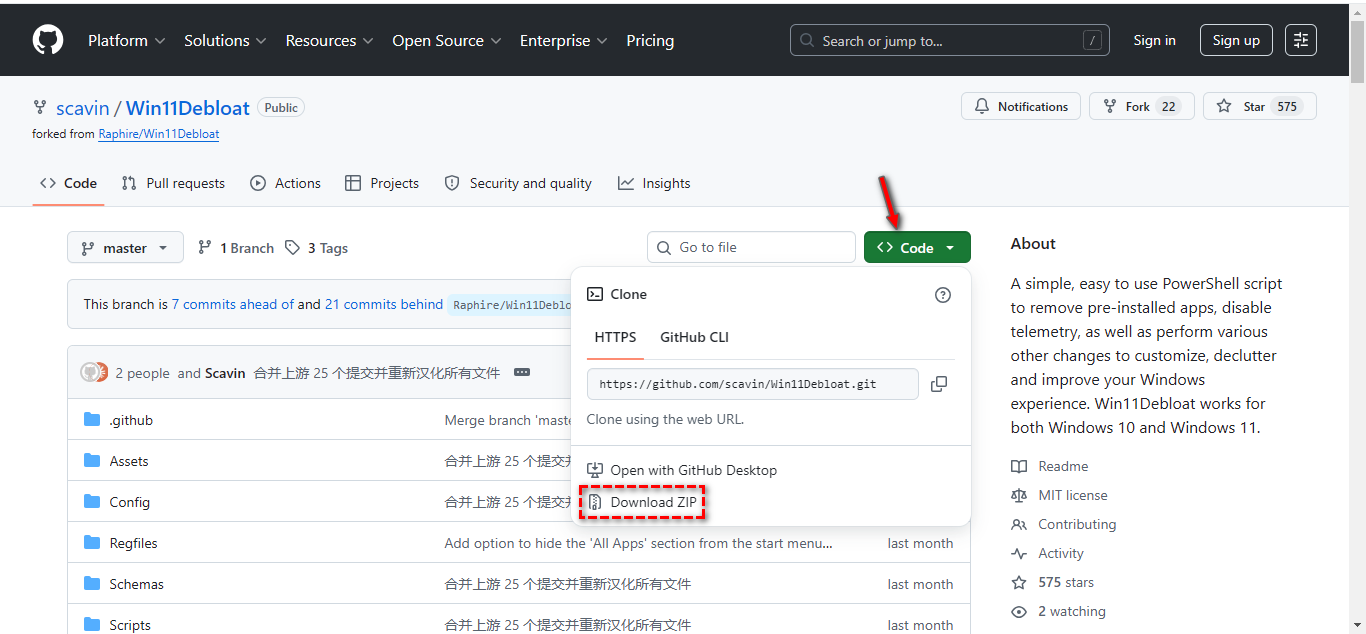
- 访问上面👆标注的 英文原版/简体中文汉化版 网页,点击右上角的「Code」按钮,选择面板中的「Download ZIP」选项。
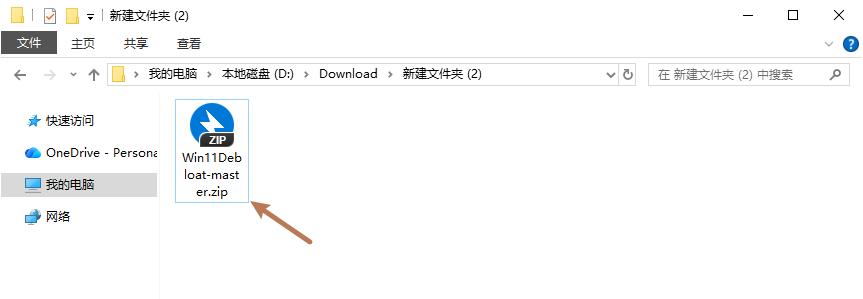
- 打开文件夹,将下载好的「Win11Debloat-master.zip」压缩包解压。
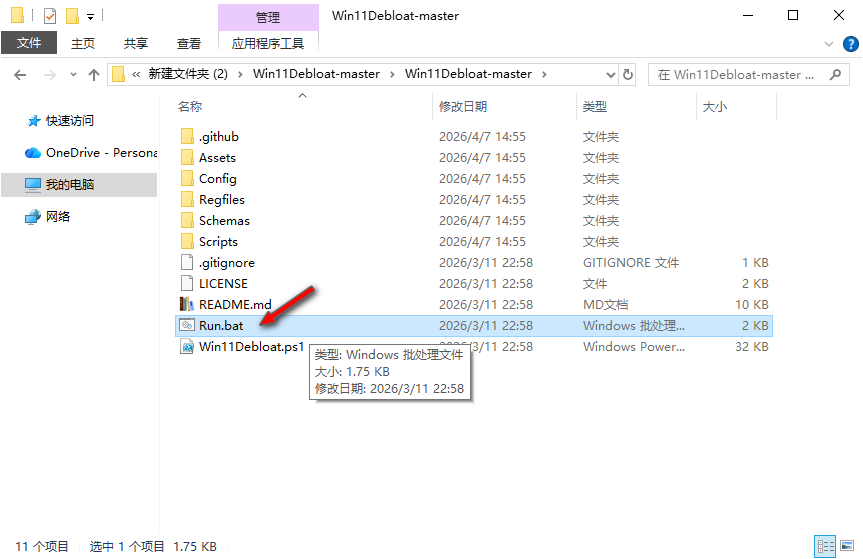
- 解压完成后,打开「Win11Debloat-master」文件夹,运行文件夹里面的「Run.bat」批处理文件。
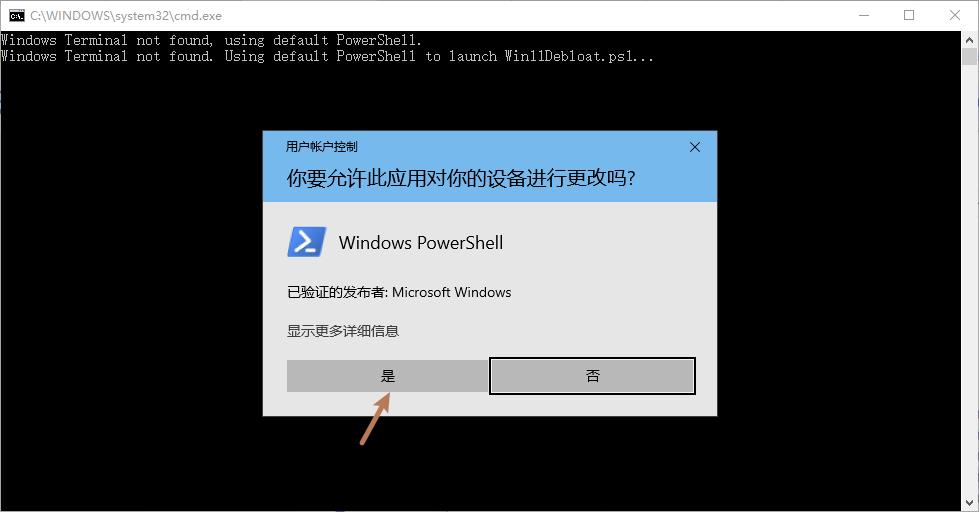
- 在弹出的「用户账户控制 - 你要运行此应用对你的设备进行更改吗?」窗口,点击 是 按钮。
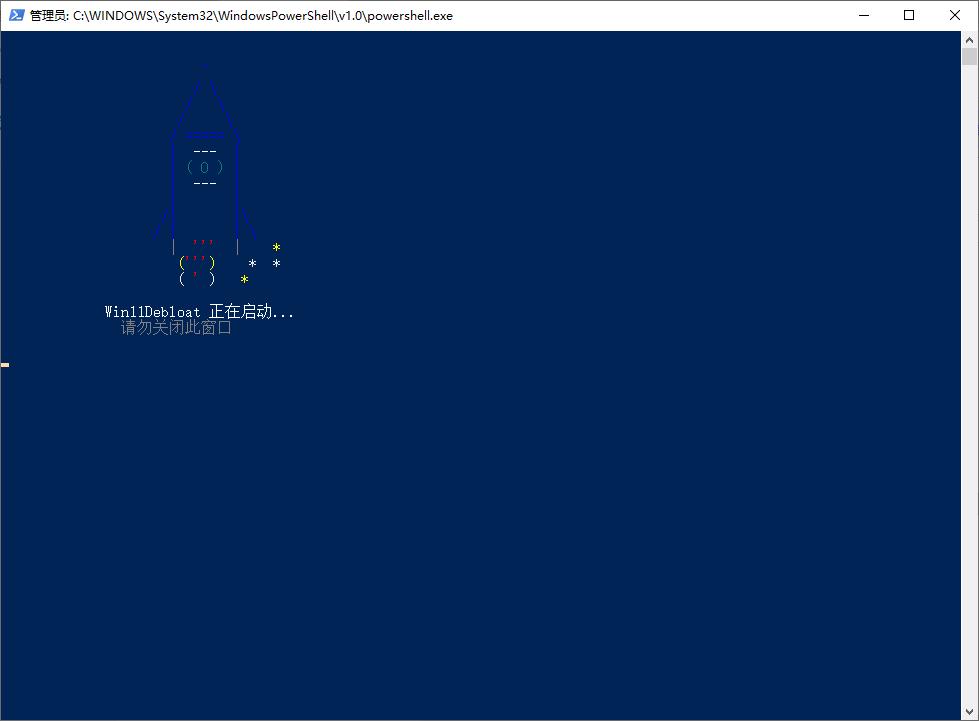
- 稍后会弹出 Windows Powershell 窗口,窗口会显示「Win11Debloat 正在启动... 请忽关闭窗口」信息。
使用教程
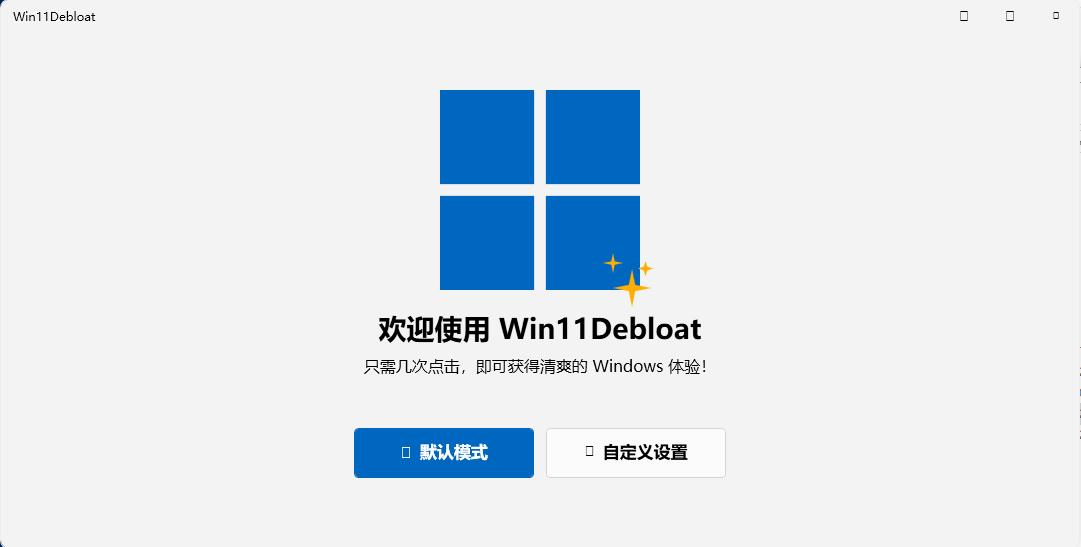
- 自动打开 Win11Debloat 软件后,点击「自定义设置」按钮。
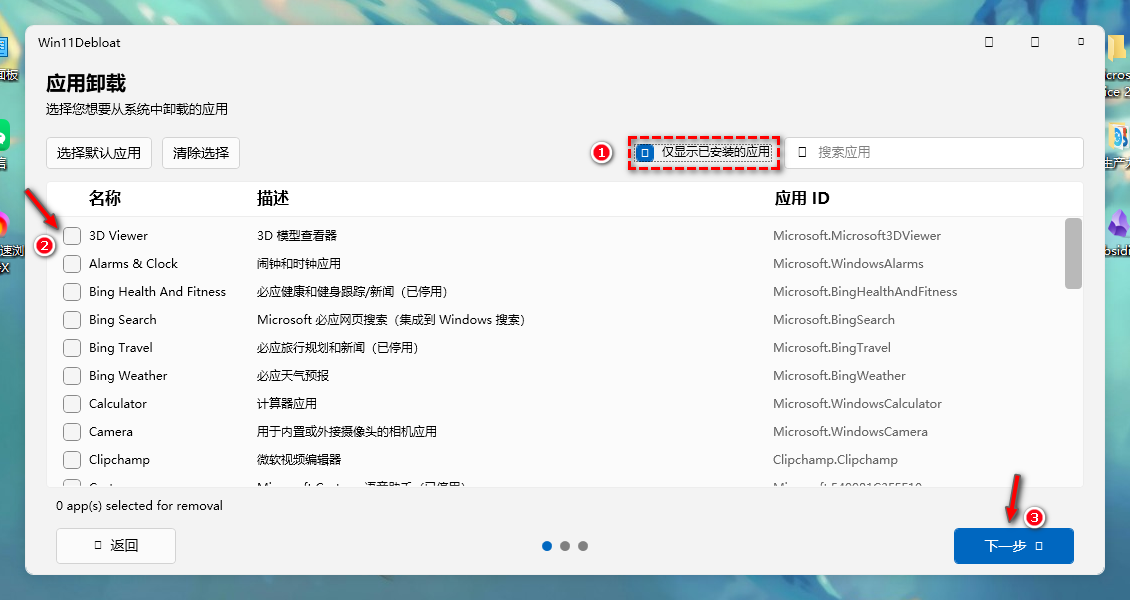
- 在「应用卸载」界面,先打✓勾选「仅显示已安装应用」选项,稍等片刻会自动加载电脑目前的预装系统应用。
- 在应用列表打✓勾选需要卸载的预装系统应用,点击 下一步 按钮。
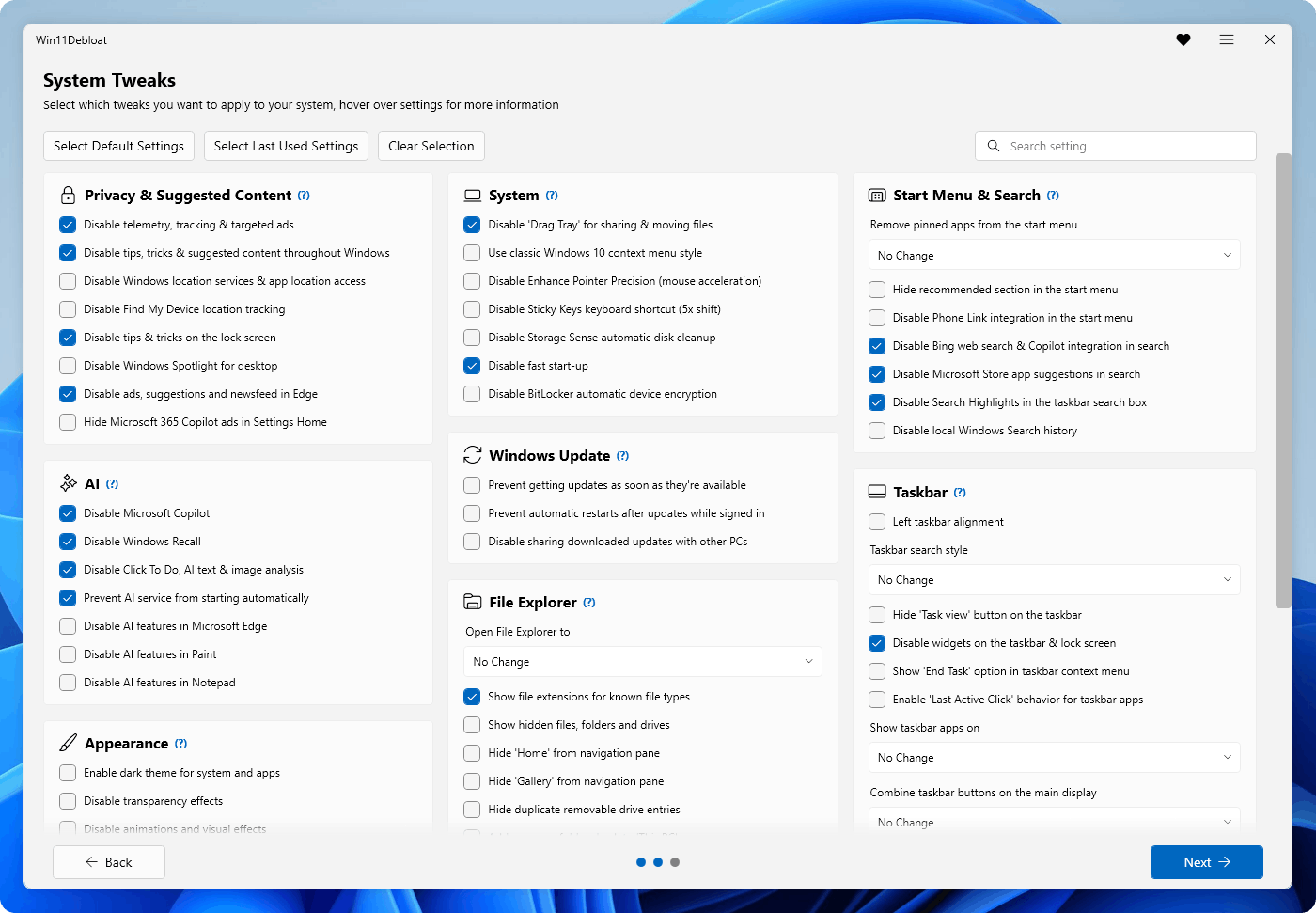
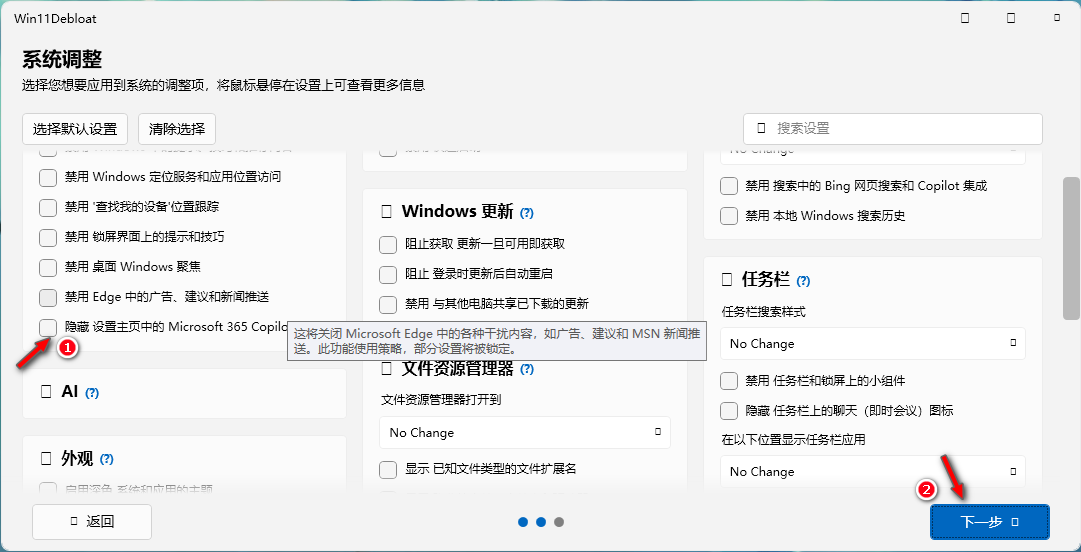
- 在「系统调整」界面,可以按需打✓勾选系统设置项,点击 下一步 按钮。
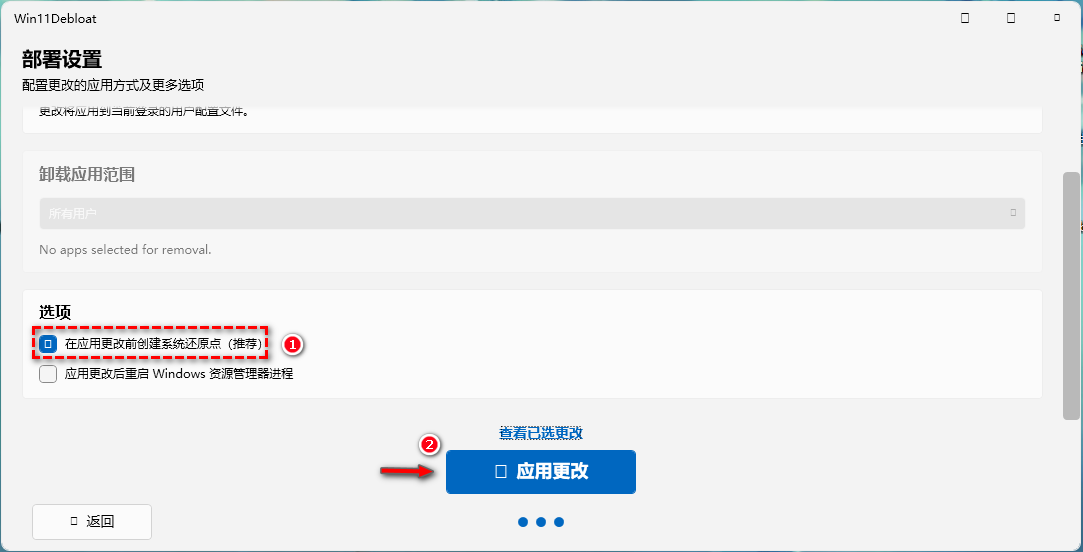
- 在「部署设置」界面,打✓勾选「在应用更改时创建系统还原点」选项,点击 应用更改 按钮,应用完成后重新启动电脑。