TrafficMonitor总是被Windows安全中心报毒,为什么会这样?如何解决?
因为 TrafficMonitor 的「TrafficMonitor\TrafficMonitor.sys」驱动存在安全漏洞。Windows Defender 检测到该驱动在已知存在漏洞的驱动列表,就会阻止运行加载。
虽然驱动只会映射物理地址0xc0000~0xfffff的BIOS区,只读,问题不大,但因为里面还包括了任意IO,和任意读写MSR,所以存在风险会认为存在漏洞。
Microsoft Defender防病毒警报 - VulnerableDriver:WinNT/Winring0
受影响的应用程序
某些游戏和硬件监视应用程序可能会受到影响,包括 CapFrameX、EVGA Precision X1 (旧版本) 、FanCtrl、HWiNFO、Libre Hardware Monitor、MSI Afterburner、Open Hardware Monitor、OpenRGB、OmenMon、Panorama9、SteelSeries Engine、ZenTimings 等工具。
解决方法
— Windows Defender 添加排除项
- 选择“开始 > 设置” >“更新 & 安全 > Windows 安全中心”。
- 选择“病毒 & 威胁防护”。
- 在“病毒和威胁防护设置”下,选择“管理设置”。
- 滚动到 “排除项 ”,然后选择“ 添加或删除排除项”。
- 选择“ 添加排除项”,然后选择受影响的文件或文件夹。
— 更换同类型软件 LiteMonitor [1]
一款轻量、可定制的开源桌面硬件监控软件 — 实时监测 CPU、GPU、内存、磁盘、网络等系统性能。
A lightweight and customizable desktop hardware monitoring tool — real-time monitoring of system performance such as CPU, GPU, memory, disk, and network.
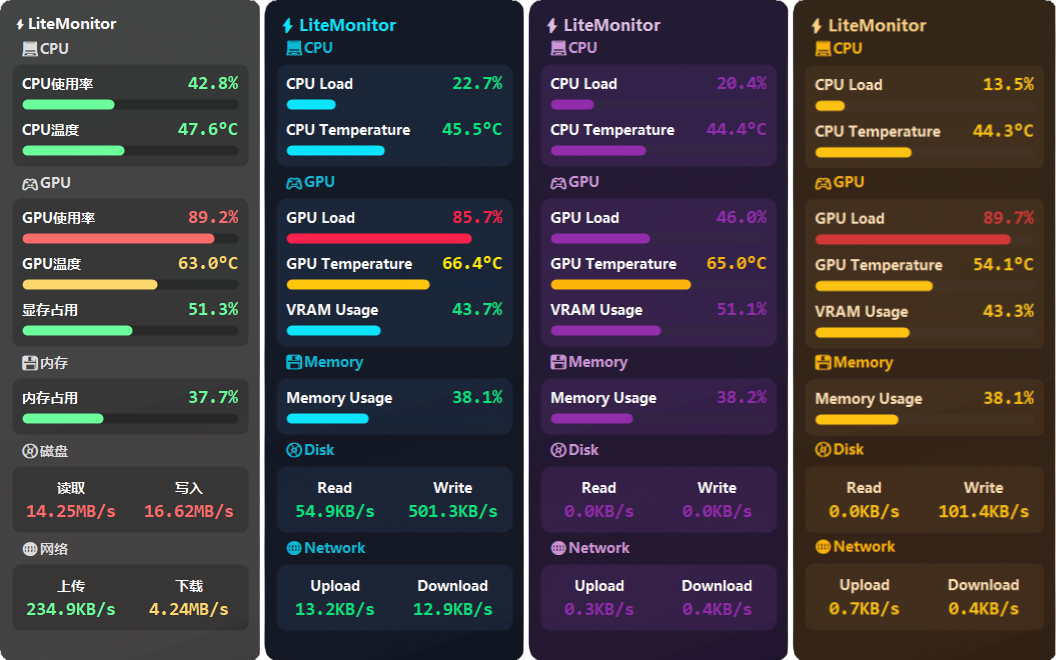
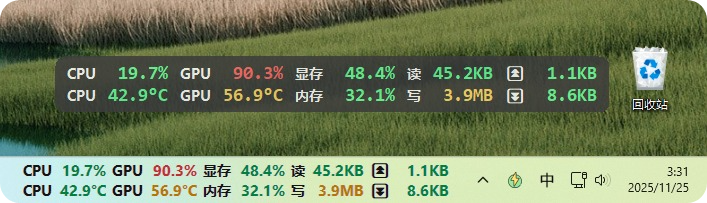
| 分类 | 监控指标 |
|---|---|
| 💻 处理器(CPU) | 实时监测 CPU 使用率、温度、频率、功耗、风扇、水冷等数据。 |
| 🎮 显卡(GPU) | 展示 GPU 使用率、核心温度、显存、频率、功耗 风扇,兼容 NVIDIA / AMD / Intel 显卡。 |
| 💾 主机(HOST) | 显示系统内存占用、FPS刷新率、磁盘温度、主板温度、机箱风扇等,清晰了解电脑综合情况。 |
| 🔋 电池(Battery) | 监测电池状态(充电状态、电量、功耗、电流、电压等)。 |
| 📀 磁盘(Disk) | 监控磁盘读取与写入速度(KB/s、MB/s),帮助分析存储 I/O 活跃情况。支持自动/手动选择磁盘。 |
| 🌐 网络(Network) | 实时显示上传与下载速度(KB/s、MB/s),提供轻量级网络流量监控。支持自动/手动选择网卡。 |
| 📈 流量统计(Traffic) | 统计每日上传与下载流量,帮助分析网络使用习惯。 |
| 🔌 插件系统(Plugin) | 支持监控天气、股票、加密货币、代理延迟、汇率等,支持自定义插件,扩展监控项与功能。 |
| 🔧 硬件传感器(Sensors) | 硬件详情面板可以查看和监控所有系统硬件传感器数据。 |
下载链接:📦 GitHub Releases → LiteMonitor 最新版、⏬国内镜像网站下载
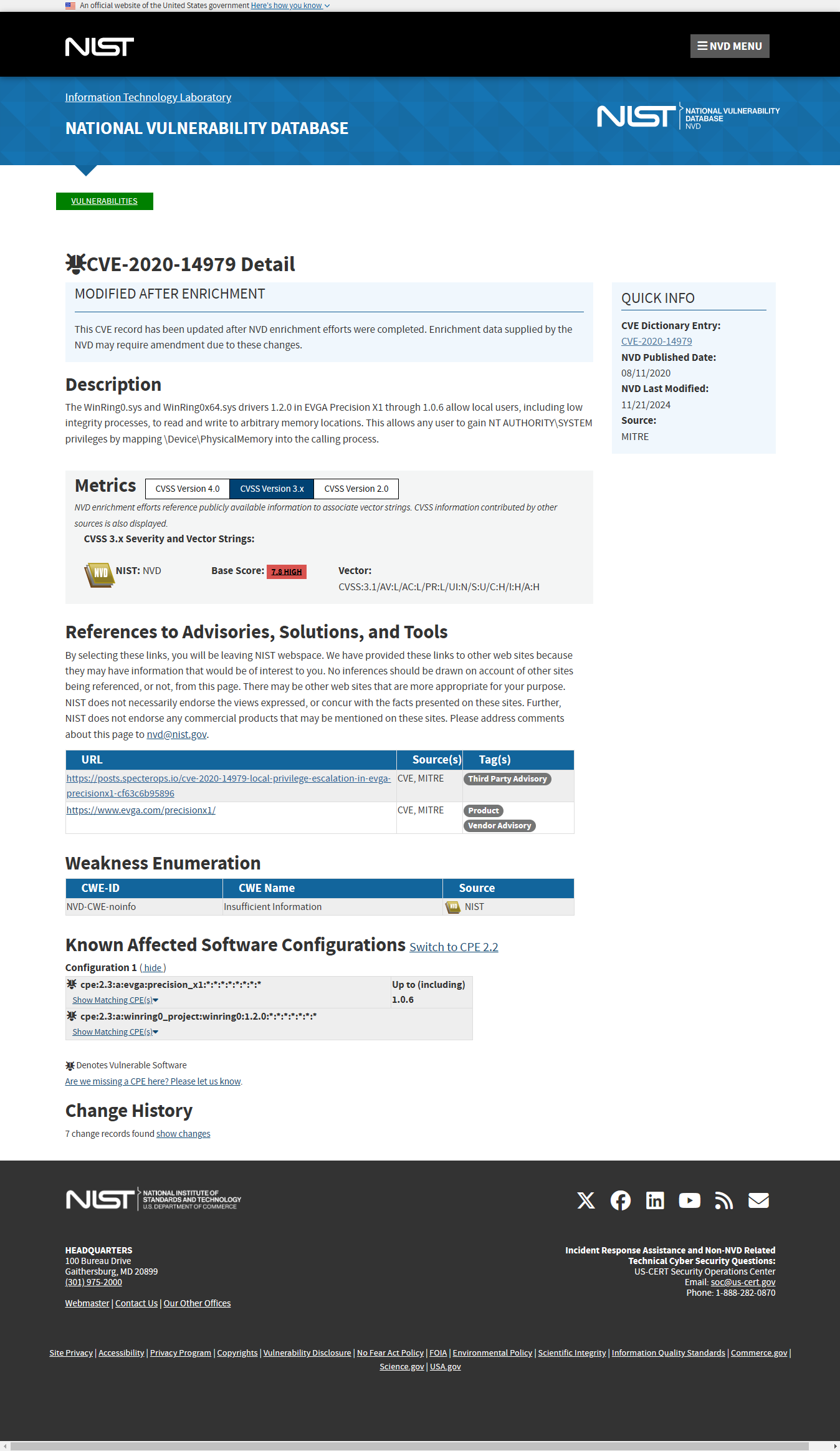
NVD | CVE-2020-14979 [2]
The WinRing0.sys and WinRing0x64.sys drivers 1.2.0 in EVGA Precision X1 through 1.0.6 allow local users, including low integrity processes, to read and write to arbitrary memory locations. This allows any user to gain NT AUTHORITY\SYSTEM privileges by mapping \Device\PhysicalMemory into the calling process.
引用资料:
Microsoft 支持 | Microsoft Defender防病毒警报 - VulnerableDriver:WinNT/Winring0 [3]
Microsoft Learn | Microsoft 推荐的驱动程序阻止规则 [4]