从零起步在Mac上优雅配置RIME输入法
前言
亲爱的朋友,你是否受够了一大堆无效功能、经常弹窗、600M以上的臃肿输入法。
如果你受够了繁文缛节,喜欢开源、清爽、极简的生产力体验,那RIME输入法将是当前市面的最好答案。实际上,这款输入法非常好用且广受好评,但输入法安装、配置难度较高,需要编写yaml配置文件来解决,因此一直难以普及推广。
下面我们就保姆式教学,优雅在Mac端配置RIME:安装▶️拼音方案▶️外观皮肤设置。
1. RIME本体的安装
RIME有两大版本,于Win端曰小狼毫Weasel,于Mac曰鼠须管Squirrel。
最简单的方式是官网下载安装包dmg文件:下載及安裝。下载dmg后一路顺点安装即可。
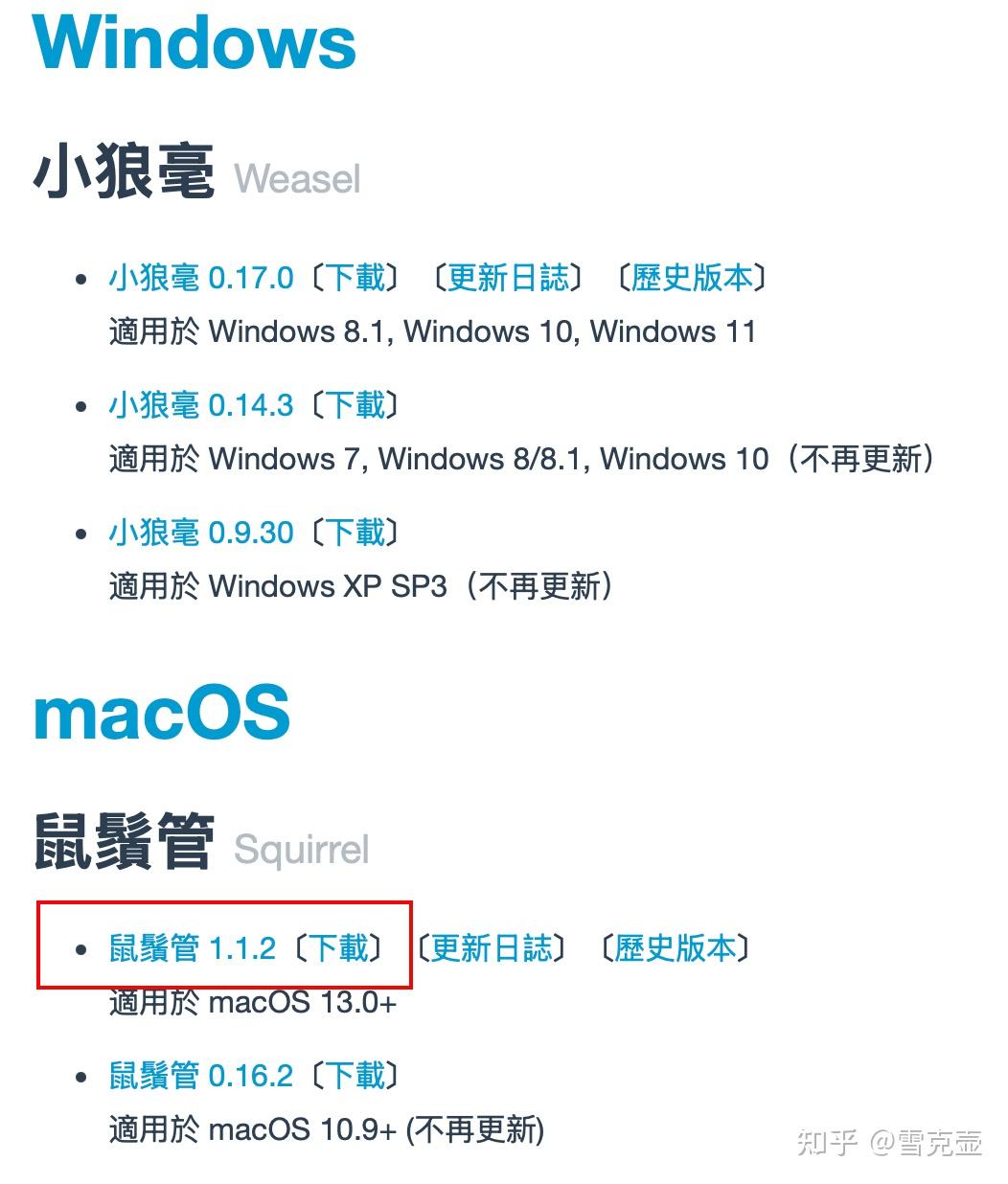
另外,Mac端的小伙伴可以终端直接home-brew安装Squirrel。brew安装的可能不是最新版本,下载后可以再更新一下。
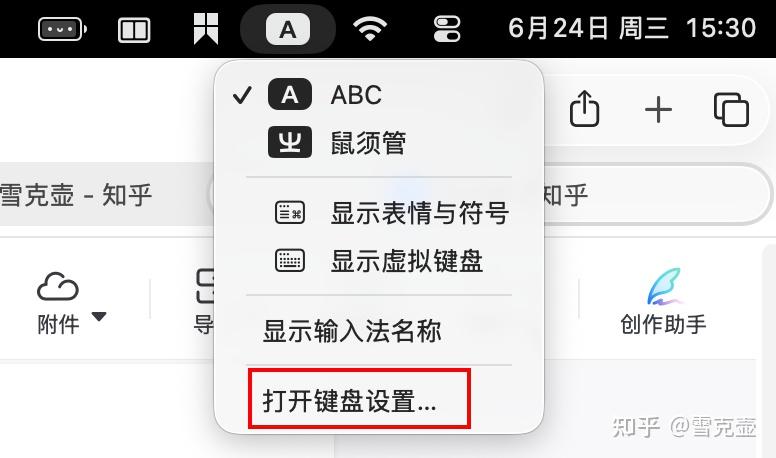
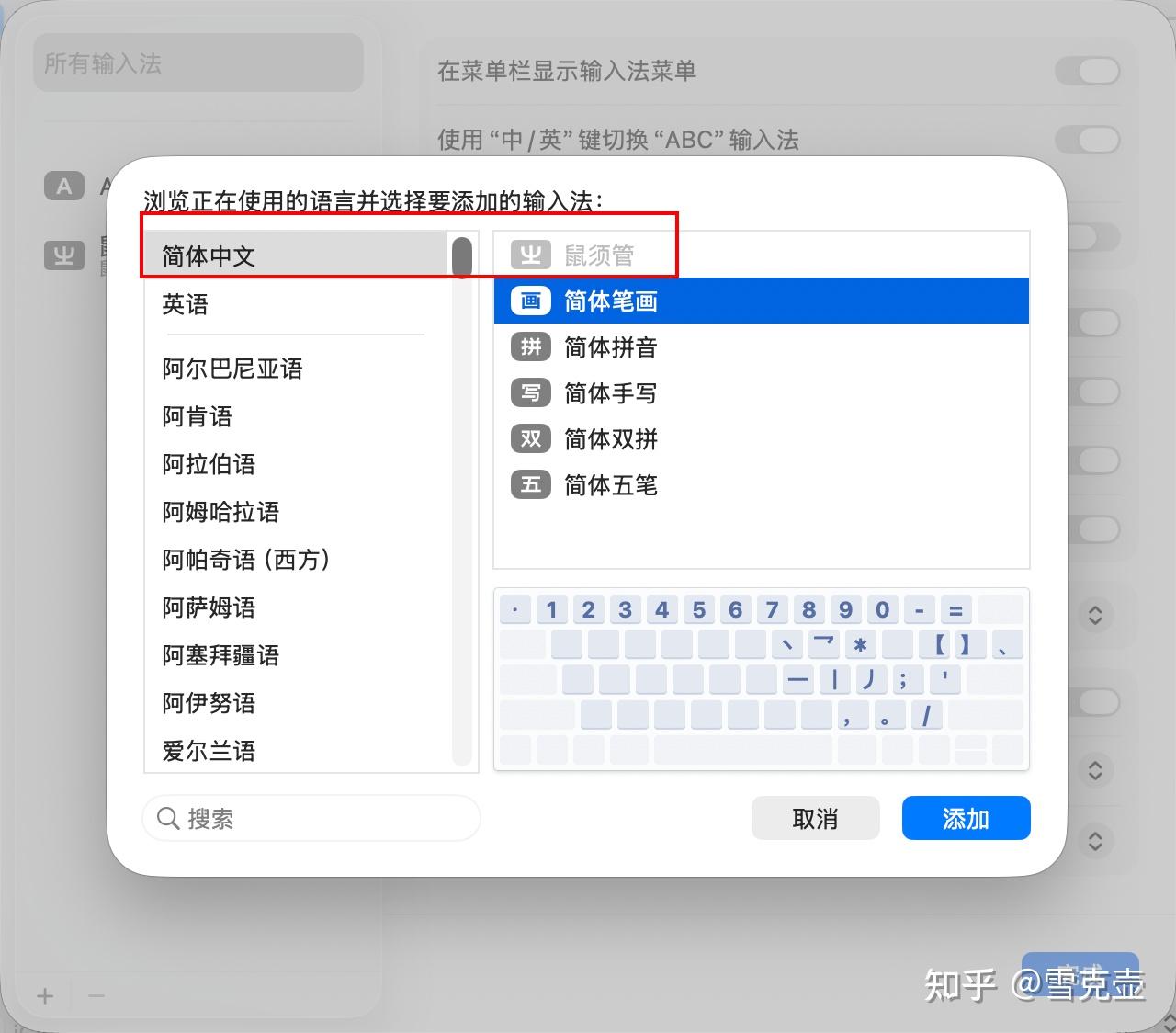
brew install --cask squirrel安装好 Squirrel后需要设置一下,点击状态栏键盘图标,打开键盘设置,点击左下角“+”按钮添加键盘,在简体中文选项中选择鼠须管输入法,这样我们的基础工作就完成啦。
2 拼音方案设置
Rime安装好后我们直接打字会发现并不是那么智能,因此我们还需要补充一个拼音方案。借助拼音方案的词库、lua功能,可以实现模糊输入、时间插入等高级输入功能。
目前比较广受认可的拼音方案有:
- 朙月拼音rime-luna-pinyin:https://github.com/rime/rime-luna-pinyin
- 雾凇拼音rime-ice:https://github.com/iDvel/rime-ice
- 万象拼音rime-wanxiang:https://github.com/amzxyz/rime-wanxiang
上面三种都不错,三选一即可。这里我们就以万象拼音为例介绍一下拼音方案设置方法。
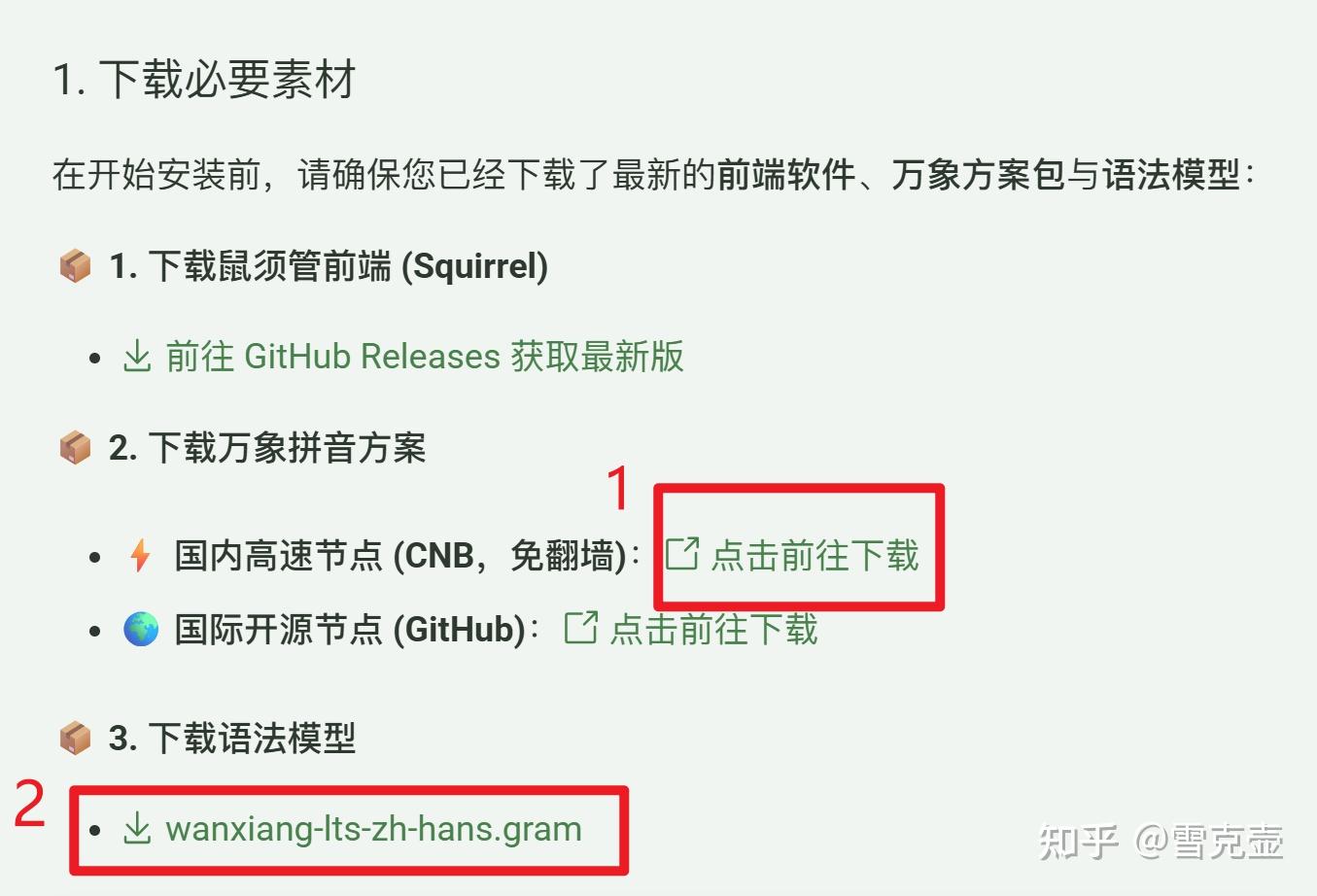
进入万象拼音官网,先下载万象拼音方案(一般用户就选Base版本就好了,Base版本与Pro版本区别详见主页),再下载语法模型。
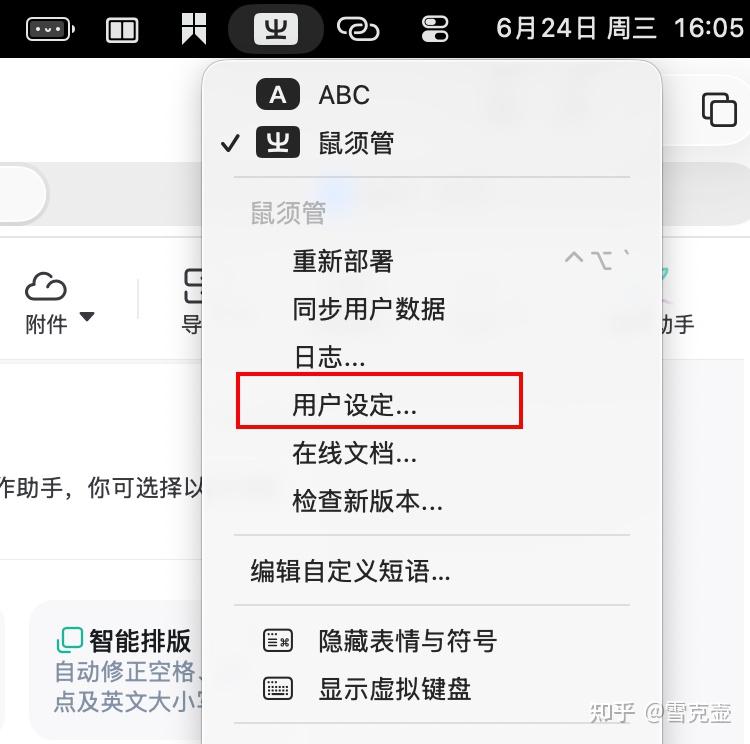
下载后我们还是点击状态栏的输入法图标,点击用户设定后,访达自动会打开Rime输入法文件夹。
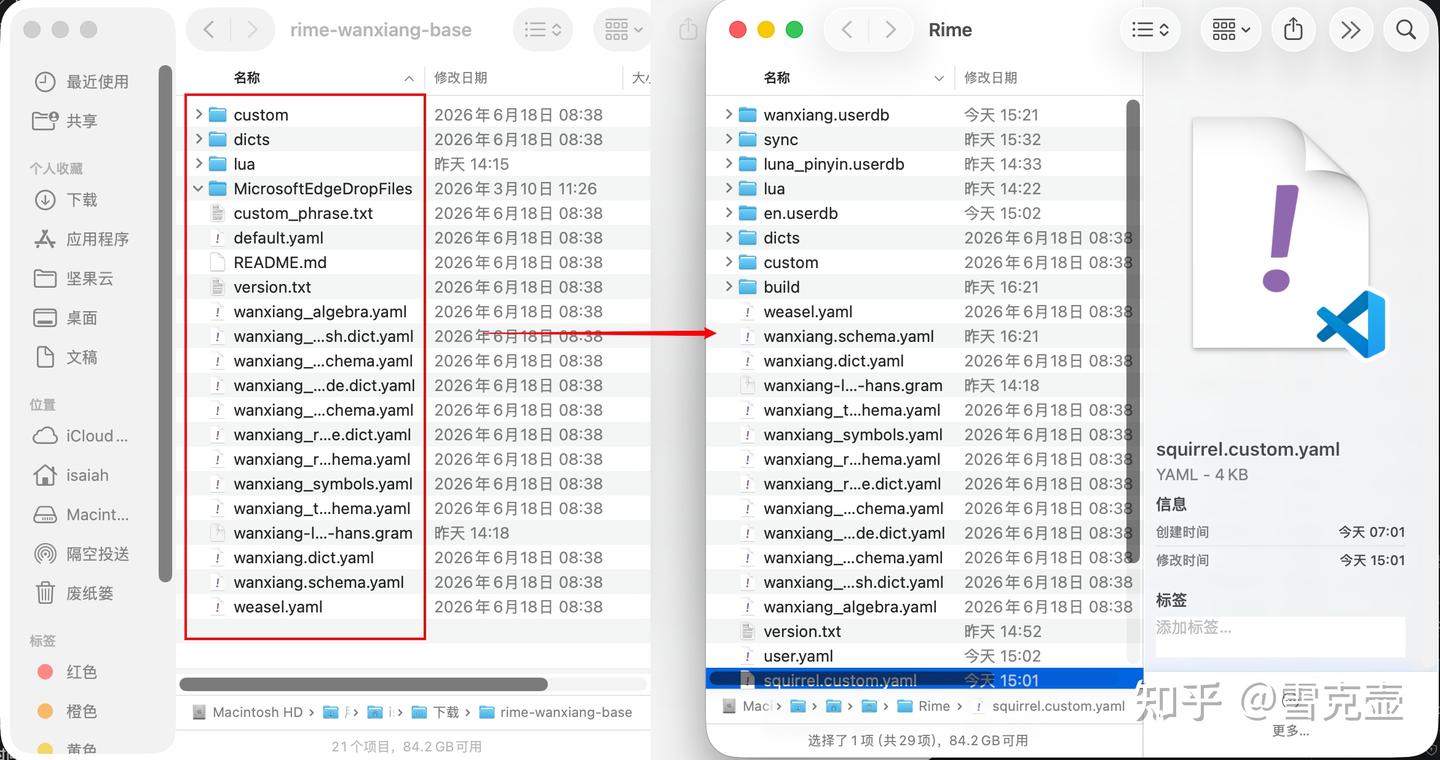
然后我们就把下载的rime-wanxiang-base文件夹中全部的文件、wanxiang-Its-zh-hans.gram语法模型文件都拷贝到Rime文件夹根目录中。
复制完成后,还需要另外点击一下状态栏的Rime图标㞢,再点击重新部署。
你会发现输入法已经上完全体,词库非常完备。
3 外观皮肤配置
上面两步已经基本完成了输入法的配置,但是帅是一辈子的事,外观是影响输入心情的最重要的因素。
原配置确实有点丑了,下面我们就来让外观彻底大改。
外观配置是需要通过写yaml文件来实现的,这里我们利用大佬的网站来无痛生成配置文件。
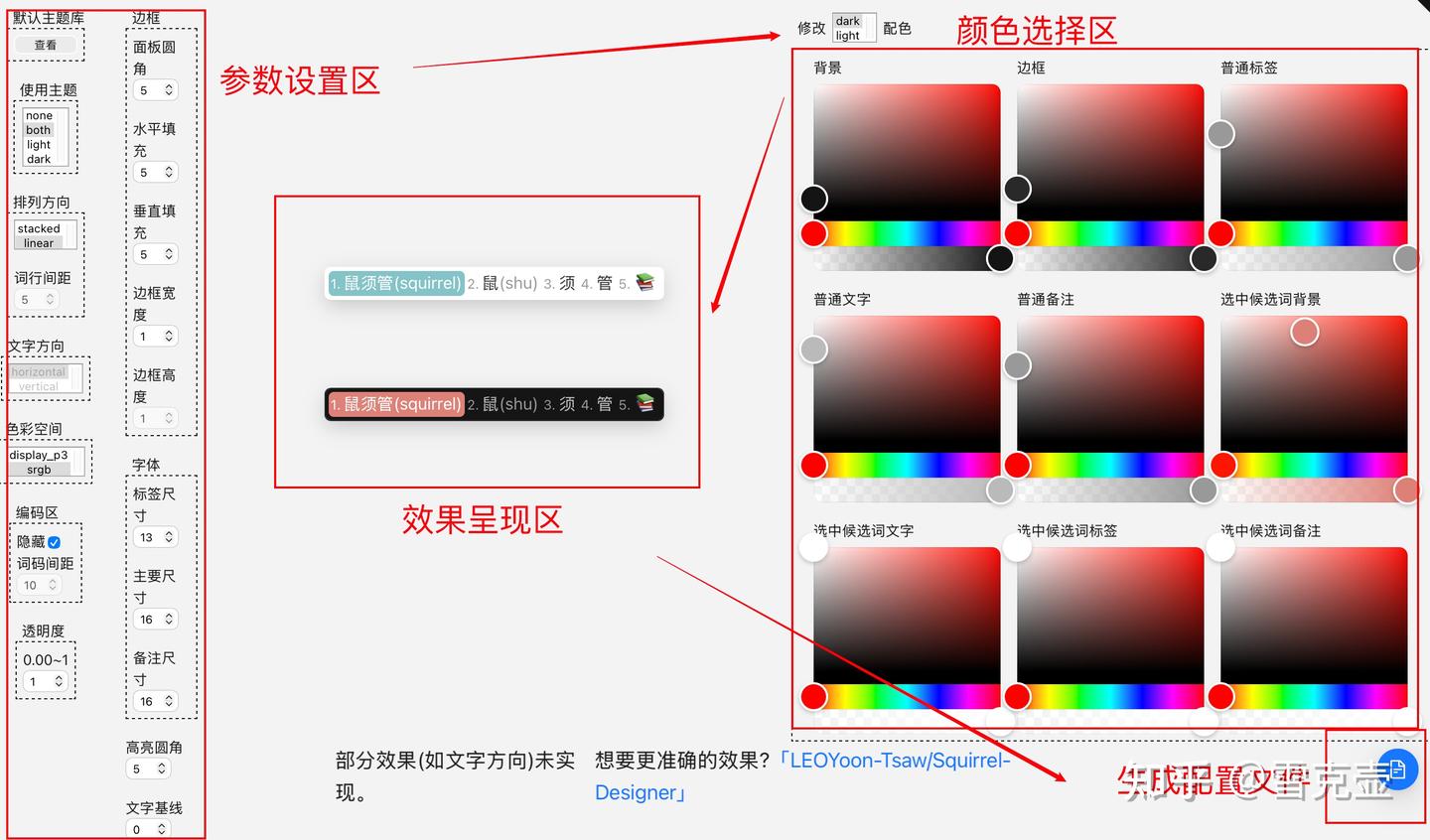
润笔 - Rime 设置小助手1. 参数设置区按自己喜好,调整各项参数,可以选择主题库;
2. 在颜色选择按自己喜好调整各种颜色;
3. 觉得效果不错后点击右下角生成配置文件,下载yaml格式的配置文件。会生成两个文件:default.custom.yaml、squirrel.custom.yaml。文件不要改名。
4. 与上一部分操作相同,将下载的两个yaml配置文件复制到Rime文件夹下,再点击一下重新部署。
我的配置文件,可直接复制。
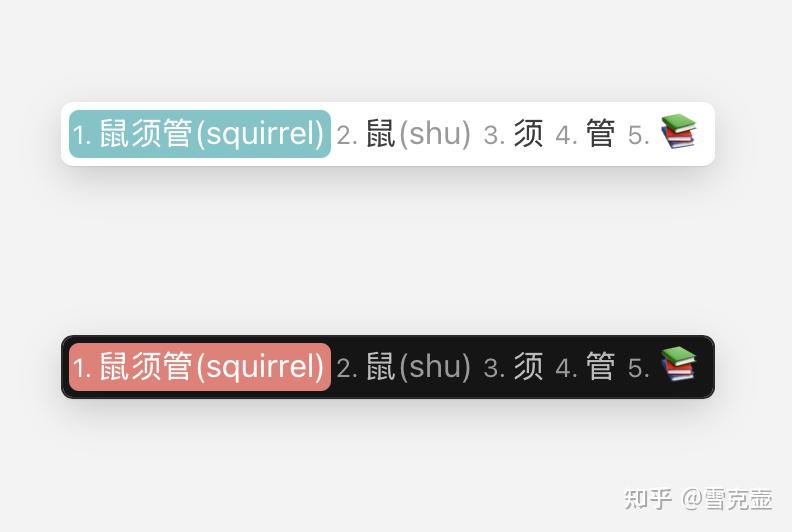
回收封面,这是我的配置效果。
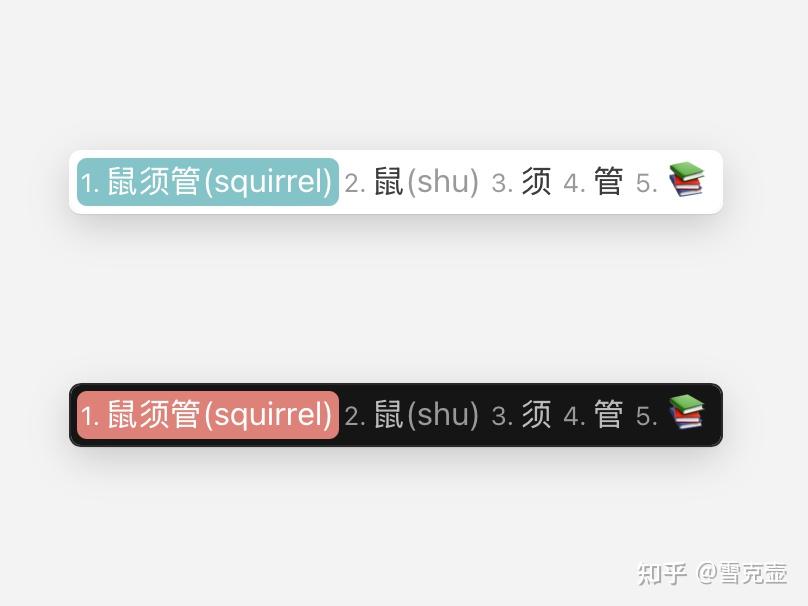
# default.custom.yaml
patch:
  menu/page_size: 6
# squirrel.custom.yaml
patch:
style/color_scheme: solarized_light
style/color_scheme_dark: solarized_dark
style/horizontal: true
style/inline_preedit: false
style/display_tray_icon: false
preset_color_schemes:
solarized_light:
border_height: 0x1
border_width: 0x1
comment_font_point: 0x10
corner_radius: 0x5
font_point: 0x10
hilited_corner_radius: 0x5
inline_preedit: true
label_font_point: 0xD
line_spacing: 0x5
spacing: 0xA
base_offset: 0x0
text_orientation: horizontal
candidate_list_layout: linear
color_space: srgb
candidate_format: '%c %@ '
font_face: PingFangSC
alpha: 0x1
author: 小码哥
name: 微信浅色/Wechat Light
text_color: 0xFF424242
hilited_text_color: 0xFFFFFFFF
hilited_back_color: 0xFF79AF22
preedit_back_color: 0xFFFFFFFF
back_color: 0xFFFFFFFF
border_color: 0xFFFFFFFF
hilited_candidate_label_color: 0xFFFFFFFF
hilited_candidate_text_color: 0xFFFFFFFF
hilited_comment_text_color: 0xFFFFFFFF
hilited_candidate_back_color: 0xC2B5B05A
label_color: 0xFF999999
comment_text_color: 0xFF999999
candidate_back_color: 0xFFFFFFFF
candidate_text_color: 0xFF3C3C3C
horizontal: true
label_font_face: PingFangSC
comment_font_face: PingFangSC
translucency: false
mutual_exclusive: false
surrounding_extra_expansion: 0x0
shadow_size: 0x0
solarized_dark:
border_height: 0x1
border_width: 0x1
comment_font_point: 0x10
corner_radius: 0x5
font_point: 0x10
hilited_corner_radius: 0x5
inline_preedit: true
label_font_point: 0xD
line_spacing: 0x5
spacing: 0xA
base_offset: 0x0
text_orientation: horizontal
candidate_list_layout: linear
color_space: srgb
candidate_format: '%c %@ '
font_face: PingFangSC
alpha: 0x1
author: 小码哥
name: 微信深色/Wechat Dark
hilited_text_color: 0xFFFFFFFF
text_color: 0xFFBBBBBB
hilited_back_color: 0xFF79AF22
preedit_back_color: 0xFF151515
back_color: 0xFF151515
border_color: 0xFF292929
candidate_back_color: 0xFF151515
label_color: 0xFF999999
candidate_text_color: 0xFFBBBBBB
comment_text_color: 0xFF999999
hilited_candidate_back_color: 0xFF7982DD
hilited_candidate_text_color: 0xFFFFFFFF
hilited_candidate_label_color: 0xFFFFFFFF
hilited_comment_text_color: 0xFFFFFFFF
horizontal: true
label_font_face: PingFangSC
comment_font_face: PingFangSC
translucency: false
mutual_exclusive: false
surrounding_extra_expansion: 0x0
shadow_size: 0x0
app_options:
co.zeit.hyper:
ascii_mode: true
com.alfredapp.Alfred:
ascii_mode: true
com.apple.Spotlight:
ascii_mode: true
com.apple.Terminal:
ascii_mode: true
no_inline: true
com.apple.dt.Xcode:
ascii_mode: true
com.barebones.textwrangler:
ascii_mode: true
com.blacktree.Quicksilver:
ascii_mode: true
com.github.atom:
ascii_mode: true
com.google.Chrome:
inline: true
com.googlecode.iterm2:
ascii_mode: true
no_inline: true
com.macromates.TextMate.preview:
ascii_mode: true
com.microsoft.VSCode:
ascii_mode: true
com.runningwithcrayons.Alfred-2:
ascii_mode: true
com.sublimetext.2:
ascii_mode: true
' org.gnu.Aquamacs':
ascii_mode: true
org.gnu.Emacs:
ascii_mode: true
no_inline: true
org.vim.MacVim:
ascii_mode: true
no_inline: true
vim_mode: true
ru.keepcoder.Telegram:
inline: true